

Home office setup is no longer a temporary solution—it’s a vital part of work-life in 2024. Whether you’re working fully remotely or hybrid, your environment can make or break your focus, productivity, and health. But what does it really take to set up a home office that works?
Key Takeaways
- Remote and hybrid work remain common in 2024, making optimized home office setups more relevant than ever.
- Ergonomics, smart tech, and careful space planning are essential, but cost and practical challenges are often overlooked.
- A successful home office setup balances comfort, productivity, adjustability, and the realities of available space.
- Understanding Home Office Setup: What & Why
- Step-by-Step Guide: Designing Your Ergonomic Home Office
- Advanced Analysis & Common Pitfalls
- Conclusion
- Frequently Asked Questions
Understanding Home Office Setup: What & Why
A home office setup isn’t just about grabbing a chair and setting your laptop on a kitchen table. A truly effective space means selecting and arranging furniture, equipment, and lighting to promote focus, comfort, and well-being day after day. Since 2024, nearly one in five US employees still works from home at least some of the week. That multi-year stability—confirmed by data from sources like the St. Louis Fed and BLS (see here)—reflects long-term behavioral change and cost savings for both workers and companies.
Yet, investing in a home office isn’t always straightforward. Employees value flexibility, but they face real hurdles: lack of space, uncertainty about what to buy, the high cost of ergonomic furniture, and questions about which upgrades actually boost well-being and performance.
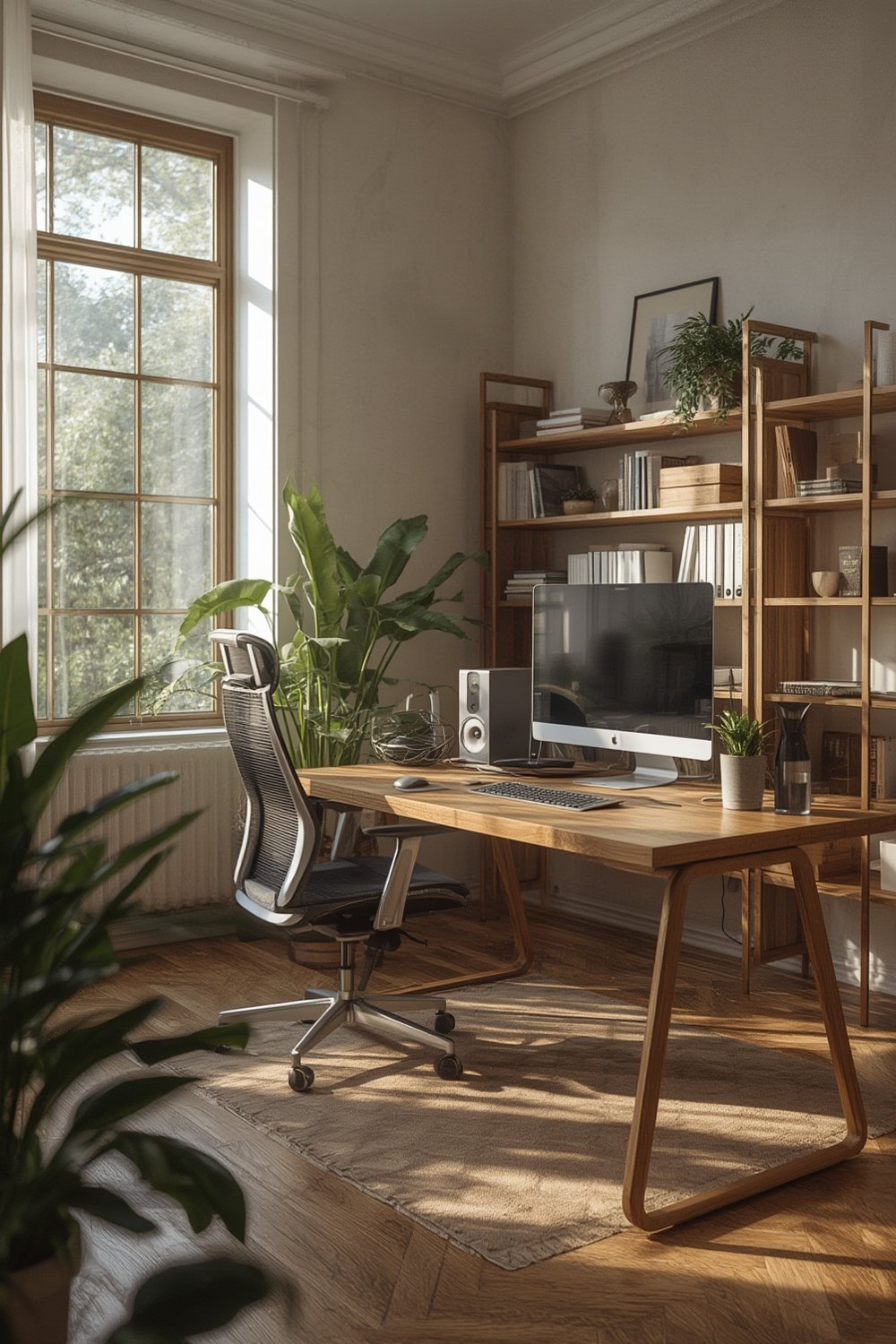
The goal is a workspace that’s practical, repeatable, and tailored to your reality—not just a magazine ideal. Ergonomics and technology can help, but so can space-saving design, eco-friendly materials, and budget management. In this guide, you’ll get actionable, research-backed steps for every situation.
Step-by-Step Guide: Designing Your Ergonomic Home Office
Ready to transform your distraction-prone living room or cramped spare bedroom into a productive hub? Follow this sequence for a sustainable home office setup that makes every day easier—and feels like an upgrade, not a compromise.
Step 1: Choose the Right Spot
Pick a location based on traffic, noise, and privacy. If possible, avoid multi-use spaces like the kitchen table. Even if you’re in a studio or small apartment, a compact “office zone” can be carved from a corner—use bookcases, folding screens, or large plants as simple boundaries. For ideas on maximizing small spaces, see our guide on Tiny Home Renovations.
Step 2: Prioritize Your Desk and Chair
Opt for an adjustable chair with lumbar support and a desk at elbow height. Got limited space? Modular, wall-mounted, or foldable desks are smart bets (learn more here). For tips on ergonomics, see our Ergonomic Office Furniture guide.
Step 3: Create Proper Screen and Accessory Placement
Your monitor’s top line should be at eye level to avoid neck pain. Consider a monitor arm, stack of sturdy books, or an adjustable laptop stand; external keyboards and mice also fight repetitive strain.

Step 4: Layer Lighting and Power
Mix overhead, task, and natural light to prevent eye fatigue. Look for LED desk lamps with variable color temperature. Cable management boxes or under-desk trays cut clutter and fire hazards.
Step 5: Add Tech Enhancements and Comfort Features
If budget allows, add a smart speaker, integrated power strip, or standing desk converter. Explore smart tech paired with home automation (see Smart Home Improvement Ideas) for voice-controlled lights or climate adjustments.
Step 6: Address Air & Sustainability
Choose low VOC paint (eco-friendly paint tips here) and natural fiber furnishings to improve air quality. A potted plant or two can further reduce VOCs and boost mood.
Step 7: Budget Realistically, Upgrade Gradually
Ergonomic chairs in 2024 usually start around $150 for basic models and climb above $500 for premium or fully adjustable designs. Most standing desks run from $200 to $700. Don’t overspend at once—upgrade one component per pay cycle if needed. Prioritize what affects comfort first.
Not sure where to start? Use modular components and multi-use furniture to adapt to your living situation (see small space tips).
Advanced Analysis & Common Pitfalls
Most guides focus on aesthetics—or gloss over the headaches people face with actual at-home work. Data shows remote work is stable, but the real-world challenges of implementing a great home office remain. Here are some pitfalls you might not hear about, but should consider:
- Space constraints: In small apartments or shared homes, finding a private, distraction-free zone is difficult and requires creativity.
- Lack of ergonomic investment: Many skip investing in adjustable seating or desks, leading to chronic pain and reduced productivity.
- Budget roadblocks: Quality furniture is expensive; many waste money on looks instead of function.
- Ignored technology upgrades: Most people focus on hardware but ignore fast internet, lighting, and cable management.
- Environmental impact: Cheap furniture often uses unfriendly materials. Eco-friendly choices are overlooked, even though indoor air quality really matters.
| Pitfall | Why It Matters | How to Avoid |
|---|---|---|
| Underestimating Space Needs | Leads to clutter, distractions, and bad posture. | Map out minimum desk/chair space before buying anything. |
| Skipping Ergonomics | Increases risk of pain, fatigue, and long-term injury. | Prioritize chair and monitor position with adjustability. |
| Focusing Only on Equipment | Misses lighting, cable management, and air quality. | Improve lighting, ventilation, and keep cords neat. |
| Overspending on Unsuitable Items | Wastes money on trends, ignores real comfort/fit. | Test in-store when possible; read authentic reviews. |
| Ignoring Eco-Friendliness | Can worsen air quality, raise exposure to VOCs. | Opt for natural materials, low-VOC paints. |
Many of these issues go unaddressed in popular guides. In fact, very few top-performing articles detail the trade-offs between size, cost, sustainability, and actual adjustability. Staying realistic about budget and available space can prevent disappointment and wasted investment.
For more space-saving furniture and modular design strategies, check out our multi-purpose furniture guide. For optimizing every storage corner, see Home Organization & Storage Solutions.
Conclusion
Creating a high-impact home office setup is about more than fancy gadgets or trend-driven decor. It’s about aligning your space with your real needs, investing in core ergonomic pieces, adapting to size and budget constraints, and using smart organization. If you want your home office setup to deliver better focus, fewer aches, and greater satisfaction in 2024, start with the basics, upgrade intentionally, and don’t be misled by one-size-fits-all solutions.
Want more practical renovation or workspace advice? Browse our full Home Office Setup Guide here or explore our proven Smart Home Improvement Ideas for a truly modern, efficient living space.
Frequently Asked Questions
How much should I expect to spend on a good home office setup in 2024?
Most people spend $300 to $1,000 for a basic ergonomic setup (desk, chair, monitor stand), but prioritize adjustability and comfort to get the best value. Upgrade slowly as needed to avoid waste. Higher-end or smart furniture can increase the budget. For space-saving and budget-friendly tips, review modular furniture options.
What if I don’t have a dedicated room for my office?
Small apartments or studio spaces can still support an efficient office zone. Use screens, open shelving, or even tall plants to carve out visual boundaries. Drop-down desks, floating shelves, or modular units help maximize small footprints. See tiny home renovation tips for creative solutions.
Are smart desks or tech integrations worth it?
Smart desks and voice-controlled accessories can improve comfort and productivity, but prioritize basics like a quality chair and good lighting if you’re on a budget. If you already have those covered, consider adding smart home features for extra convenience. See our smart home upgrade guide for ideas.
Why invest in eco-friendly materials for a home office setup?
Low VOC paints and natural fiber furniture don’t just help the planet—they protect your indoor air quality and cut down on respiratory issues or headaches. For actionable tips, read this eco-friendly paint guide.
Where can I find more expert advice on organizing my home office?
For proven hacks and detailed guides on decluttering or customizing your office space, visit our organization & storage solutions hub.